
Choosing the right cleaning robot starts with understanding how much floor space needs to be cleaned, how frequently, and how much time is available. The Reliable Robots Free Cleaning Coverage Calculator helps you estimate the daily cleaning capacity of autonomous cleaning robots, compare models, and determine how many robots may be needed for your facility.
01
Step
Enter Your Facility Size
Use the facility size slider to select the floor area you want cleaned, measured in square feet (ft²). Focus on the cleanable floor area, excluding spaces the robot cannot access, such as enclosed offices, equipment footprints, and restricted areas.
02
Step
Select a Robot and Cleaning Mode
Choose a robot model from the dropdown menu, then select its cleaning function. Available functions depend on the robot and may include:
- Scrubbing
- Sweeping
- Vacuuming
- Dust mopping
Each robot has different cleaning speeds, battery runtimes, and charging requirements. The calculator uses these specifications to estimate daily capacity.
03
Step
Adjust Robot Utilization
The utilization slider determines how intensively the robot operates during the selected operating window.
- 25% utilization: Light usage with significant idle time.
- 50% utilization: Moderate usage.
- 80% utilization: High usage.
- 100% utilization: Consecutive cleaning and charging cycles throughout the operating window.
Important: 100% utilization does not mean 24 hours of continuous cleaning. Charging time is included in the calculation. By default, the calculator assumes a 24-hour operating window and an 85% site-productivity factor to account for practical operating conditions.
04
Step
Adjust the Number of Robots
Use the + and − buttons to increase or decrease the number of robots. As you adjust the fleet size, the calculator automatically updates:
- Total daily cleaning capacity
- Number of full facility passes
- Percentage of facility coverage
- Estimated number of robots required
The Use Minimum Fleet button automatically selects the estimated number of robots needed to complete one full daily cleaning pass.
05
Step
Understand Your Coverage Results
The calculator displays several important performance indicators.
Daily Cleaning Capacity (ft²/day)
The estimated total floor area your selected robots can clean within the operating window.
Full Passes per Day
The number of times your fleet has enough capacity to clean the entire designated floor area. For example, a result of 2.0× means the fleet has sufficient estimated capacity to clean the designated area twice per day.
Facility Coverage Capacity (%)
This compares the fleet's daily cleaning capacity against your facility size.
- 50% = Capacity for approximately half the facility.
- 100% = Capacity for one complete facility pass.
- 200% = Capacity for two complete passes.
These percentages represent estimated cleaning capacity, not verified cleaning completion.
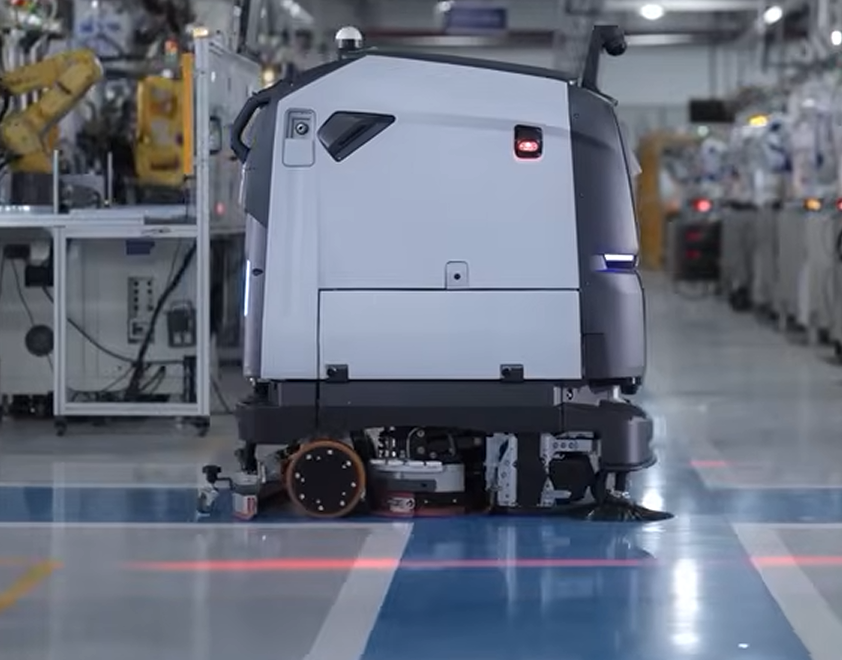
Full Coverage vs. AI Spot Cleaning
The calculator provides two coverage comparisons where supported by the selected robot.
1. Full Coverage Cleaning
The robot follows a planned route to systematically clean the designated floor area. This mode is useful for routine cleaning programs where consistent floor coverage is the priority.
2. AI Spot Cleaning
Compatible robots can inspect their surroundings, identify areas requiring attention, and target cleaning accordingly. Spot-cleaning efficiency represents the estimated area the robot can inspect or service while searching for cleaning opportunities. It does not mean every square foot inspected is physically scrubbed. Not all robots support AI spot cleaning. Where a separate manufacturer rating is unavailable, the calculator identifies the limitation or clearly labels the planning assumption.
Advanced Mode: Customize Your Operating Scenario
Select the Advanced tab to fine-tune the assumptions behind your results. You can adjust:
| Setting | What it controls |
|---|---|
|
Operating window
|
Select an 8-hour, 12-hour, 24-hour, or custom schedule |
|
Site productivity
|
Adjust the default 85% productivity factor |
|
Cleaning efficiency
|
Modify the assumed cleaning rate in ft²/hour |
|
Battery runtime
|
Adjust cleaning hours per charge |
|
Charging time
|
Adjust the time required to recharge |
|
AI spot-cleaning rate
|
Customize the rate where supported |
The Advanced tab also estimates cleaning and charging cycles within the selected shift, including partial cycles and unallocated operating time. This is particularly useful when evaluating whether robots should operate during business hours, overnight, or continuously.

Use the Results to Plan Your Cleaning Program
The calculator is designed to support early-stage facility assessments and robot selection. Actual performance depends on several factors, including:
- Facility layout and accessibility
- Floor type and condition
- Obstacles and pedestrian traffic
- Cleaning frequency and intensity
- Battery charging and workstation configuration
- Available operating hours
Manufacturer specifications and calculator outputs are planning estimates, not guaranteed site performance.
Ready to Automate Your Cleaning Operations?
Reliable Robots helps businesses select, deploy, and optimize autonomous cleaning solutions based on their specific operating requirements. Contact Reliable Robots to review your facility, validate your coverage requirements, and identify the most suitable robot or fleet configuration.
Reliable Robots — Smarter automation. Better operations.
 RELIABLE ROBOTS
Free Cleaning Coverage Calculator
Estimate daily cleaning coverage, full facility passes, and the number of robots needed to clean your space. Compare robot models, cleaning modes and utilization.
Configure your cleaning
100% utilization means consecutive cleaning and charging cycles over 24 hours. Site productivity is assumed at 70% of rated output.
Your estimated coverage
Multi-robot coverage
See how coverage changes as you add robots. 100% equals one full facility pass per day.
Quick guide
How to use the Cleaning Coverage Calculator
Find out how much floor space a robot—or a fleet of robots—could clean in a day. Change any input to compare scenarios instantly.
Set your floor area
Move the facility size slider to the approximate area you want cleaned, in square feet.
Choose a robot
Select a model from the robot dropdown.
Choose a cleaning mode
Select a supported task, such as scrubbing, sweeping or vacuuming.
Adjust utilization
Set how intensively the robot will operate. At 100%, it runs continuous cleaning and charging cycles over 24 hours—not 24 hours of cleaning.
Add or remove robots
Use + and − to change the fleet size, or tap Use minimum fleet to select enough robots for one estimated daily pass.
Understanding your results
Daily cleaning capacity is the total square footage the selected fleet could cover in one day. Full passes per day is that capacity divided by your floor area.
Facility coverage capacity: 40% means enough capacity to clean about 40% of the selected area once per day. 100% means one complete daily pass; 120% means one full pass plus capacity equivalent to another 20% of the area. The percentage measures capacity, not a guarantee that every surface will be cleaned.
Multi-robot coverage compares fleet sizes side by side. The highlighted row is your current selection; the Minimum row is the smallest estimated fleet that can complete one full pass per day.
Planning assumptions: These estimates use a 24-hour operating window, include charging time in utilization, and assume 70% site productivity. Actual performance depends on your layout, traffic, obstacles, floor conditions and site setup. A Reliable Robots consultation can help validate the appropriate robot and fleet size.